

Underdogs of Office 365: Sway
Welcome to March! It definitely came in like a lion… This month we thought we would cover some of the underdogs of Office 365… the apps that you all have with your Office 365 subscriptions but maybe didn’t know you had or know how to use.
First off, let’s look at Sway…
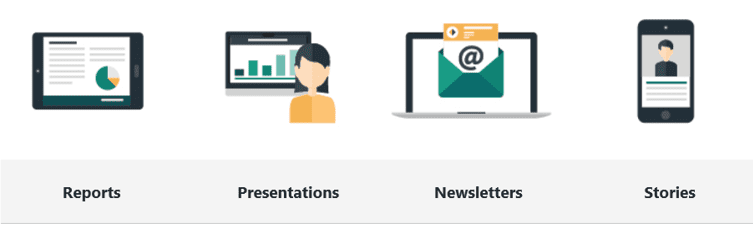
Sway is a Microsoft Office application that makes it easy to create and share interactive reports, personal stories, presentations, and more. With Sway, there’s no need to spend lots of time on formatting. Its built-in design engine takes care of making your creation look its best. If the initial design doesn’t quite match your taste or mood, you can easily apply another — or fully customize your layout to make it your own.
If you’re not sure what’s possible, you can get inspiration by viewing and interacting with Sways that other people have created. After you’ve signed in to Sway, scroll down to the bottom of the My Sways page, and then browse through the featured content under the heading “Get inspired by a featured Sway.” You can also choose to start with one of the featured templates to begin using and learning Sway.
Sign in to start creating

To get started with Sway, visit www.sway.com in any browser and then click Sign in on the top menu bar.
When prompted, enter the email address you want to use with Sway. You can use your free Microsoft Account (Hotmail, Outlook.com) or any organizational account given to you by your work or school. If you don’t already have an account, visit www.microsoft.com/account to sign up for free.
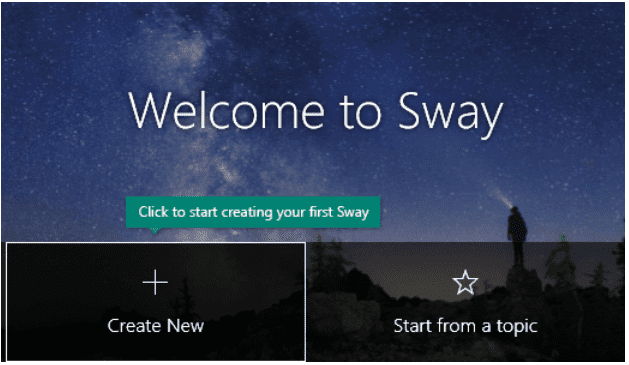
On the My Sways page that opens after you’ve signed in, click or tap Create New to start creating your first Sway.
If you are interested in learning more about Sway, its features, and the best practices around the application, please click here to explore the many options you have!